Change Bank Details on E‑Shikshakosh Portal Update 2025

If your bank account or bank details have changed — maybe you opened a new account or switched to a different branch — then updating your bank info in E‑Shikshakosh is important. Without correct bank details, salary and other payments may be delayed or misrouted. This article shows you how to update your bank details quickly and correctly, so you don’t face problems later.
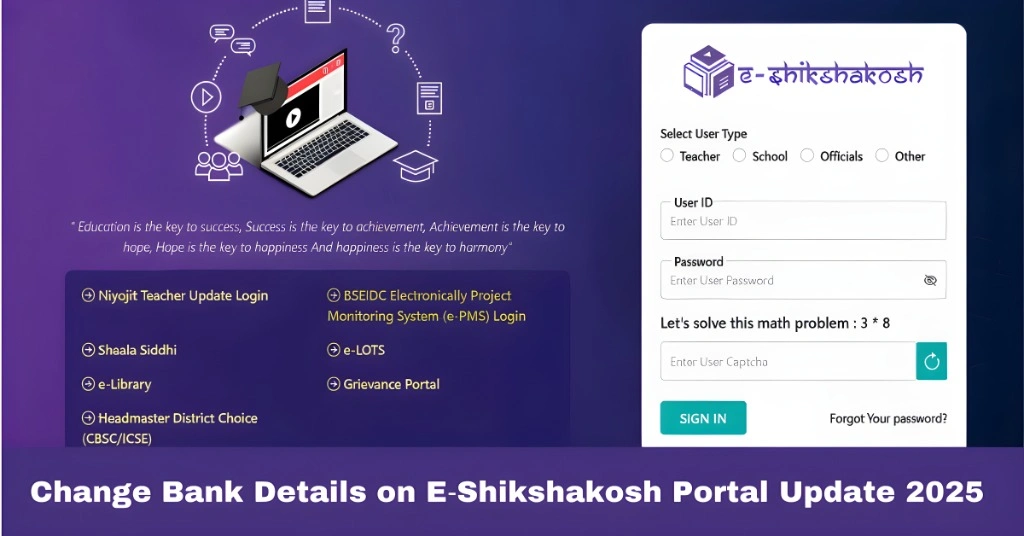
Change Bank Details on E‑Shikshakosh Portal Update 2025

Why Updating Bank Details Matters

Your bank details on E‑Shikshakosh are used for salary transfers and other payments. If those details are wrong — account number, bank name, branch, IFSC — you might not get your pay. Also, when you submit or update KYC, bank details must match your documents. So updating your record ensures you get paid correctly and avoids headaches later.

You can also read:How to Recover E‑Shikshakosh Credentials Easily Update 2025

Step‑by‑Step How to Change Bank Details in E‑Shikshakosh
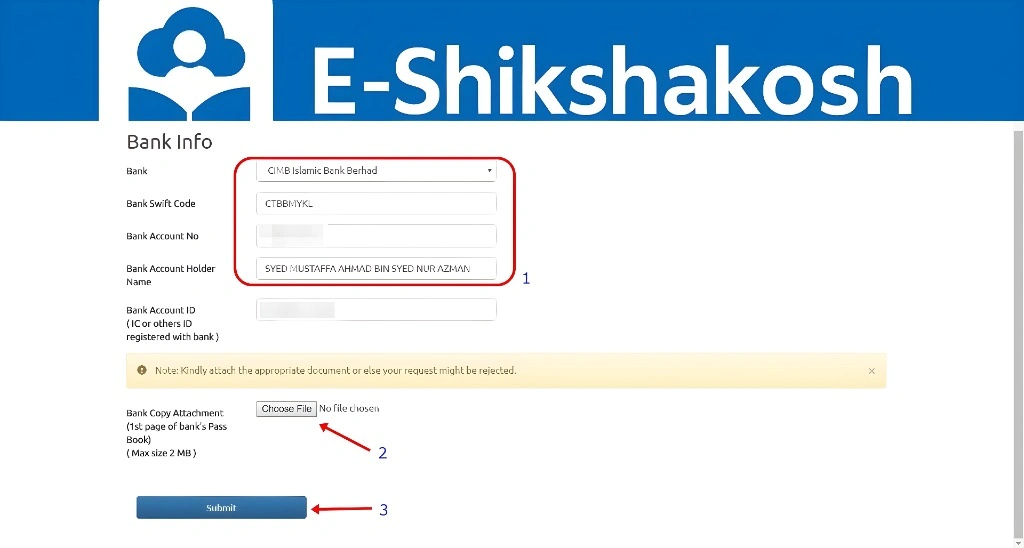
Step‑by‑Step How to Change Bank Details in E‑Shikshakosh
  • Log in to E‑Shikshakosh with your Teacher ID and password.
  • Go to your profile — look for “My Profile” or “Teacher Profile / Profile Update” section.
  • Click on Edit Profile (or “Update Profile/Bank Details”).
  • Locate the bank‑details section (Bank name, Branch, Account number, IFSC code).
  • Enter your new bank information correctly — double‑check account number and IFSC, no typos, no extra spaces.
  • If required by portal, upload any supporting document (e.g. bank passbook first page or bank statement) to verify new bank account.
  • Submit the update request. The change may need approval from school admin or district officer before it becomes active.
  • Once approved, log out and log in again to verify the bank info is updated. Keep a copy or screenshot of updated details for your record.

What to Do If Update Fails or Bank Info Doesn’t Accept

  • Make sure you typed account number and IFSC exactly — even one wrong digit can cause failure.
  • Ensure uploaded document (if needed) is clear: good scan, readable, correct file format (PDF or JPG).
  • If “Edit Profile / Bank Details” option doesn’t appear: your account may need special permission — contact your school admin or district MIS officer.
  • If after approval salary still not coming — check with bank to ensure account is active or contact department salary/payout office for help.

When to Inform Authorities & Keep Records

After updating bank details:

  • Inform your school admin or payroll department — especially if pay cycle is close.
  • Keep screenshot or print of updated profile page showing bank info (updated date) — helps prevent future disputes.
  • Avoid frequent changes — don’t change for trivial reasons; change only when truly necessary (new account, branch issues, etc.).

Tips for a Smooth Bank Update

Use your primary bank account (not temporary or zero‑balance account) to avoid payment failures.

Keep your bank passbook or first page of account statement ready before editing — often portal might ask for document upload.

Double‑check IFSC and account number before submission. Mistakes here can block salary credit.

After update, wait at least one pay cycle, then carefully check if salary credited properly. If not, raise issue early.

What to Do If Salary Payment Is Still Pending

If you’ve updated your bank details but haven’t received your salary by the expected date, here’s what you can do:

1

Double-check the account details: Ensure that the bank details you updated are correct and match what’s registered with your bank.

2

Confirm the update was approved: Check with your school admin or district education officer to make sure your bank details update has been approved and processed.

3

Reach out to the payroll department: If the issue persists, contact the payroll department to verify if there are any issues with your payment or if further updates are needed.

FAQs

Yes, as long as you log in and submit a profile update request. Bank‑detail changes are allowed.

Often yes — a copy of the first page of your bank passbook or bank statement may be required to verify the new account.

It depends on approval — once you submit and admin approves, it should reflect within a few days.

Correct it immediately using the same update procedure. Wrong bank info might lead to salary failure.

Past payments remain unaffected; future payments will go to the new account — but ensure the update is done before the next salary cycle.

Final Words


Changing your bank details on E‑Shikshakosh is a straightforward process, but it’s crucial to get it right to ensure your salary and other payments are processed smoothly. By following the steps in this guide, you can easily update your bank account details and avoid any payment-related issues.

If you face any challenges or delays, don’t hesitate to reach out to your school admin or the technical support team for assistance. Keeping your records up to date ensures that your payments and official documentation stay accurate and hassle-free.
Similar Posts

Leave a Reply

Your email address will not be published. Required fields are marked *