How to Solve Data Entry Errors in E-Shikshakosh Latest Update
How to Solve Data Entry Errors in E-Shikshakosh Latest Update
Data entry errors can happen for various reasons, but they can be easily fixed with the right steps. If you’ve encountered any issues with incorrect data in the E-Shikshakosh portal, don’t worry. Here’s a detailed guide to help you solve data entry errors efficiently and get everything back on track.
Identify the Data Entry Error
Before correcting any errors, first identify exactly what the issue is. Common data entry errors include:
Incorrect Teacher Information: Mistakes in your name, teacher ID, or contact details.
Salary Discrepancies: Errors in your salary calculations or allowances.
Attendance Issues: Incorrect attendance records or leave entries.
School Information: Misreported details like school name, class details, or teaching subjects.
Once you have identified the error, note down the specific section or entry that needs correction.
Review the Data and Find the Source of the Error
Check Original Documents: Cross-check the data shown on the portal with the original documents you’ve submitted (like your ID card, salary statement, or school roster).
Look for Manual Mistakes: Sometimes, errors occur when data is manually entered. Double-check for simple mistakes like typos or missing details.
Verify with Records: Ensure that your personal records are up to date and reflect accurately on the portal. If any updates have not been reflected, that could be a source of the error.
Correcting Data Entry Errors
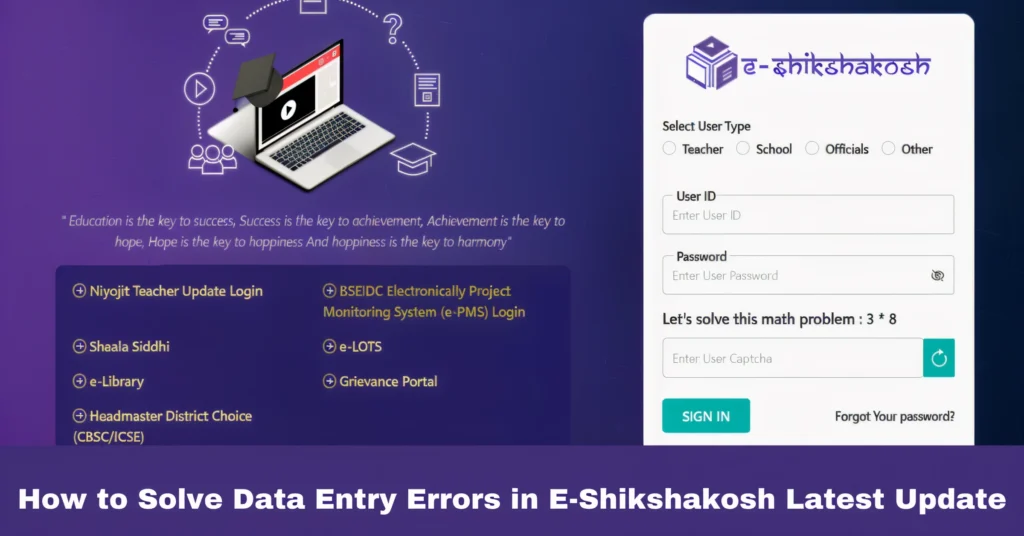
Visit eshikshakosh.bihar.gov.in and log in with your Teacher ID and Password.
If your error is related to personal details, go to the Profile Section.
For salary or attendance issues, check the Financial Details or Attendance Section.
- In the Profile Section: Click on ‘Edit Profile’ to update any incorrect information (e.g., name, contact, address).
- In the Salary Section: If salary discrepancies exist, report them to your school finance department or update any missing information if possible.
- For Attendance: If your leave or attendance is incorrect, ensure the dates and reasons are entered correctly. If not, reach out to your school administrator to correct the records.
After editing, click the ‘Submit’ button to update your details.
Upload Supporting Documents (If Required)
Some corrections may require uploading supporting documents, such as:
- Identity Proof: For correcting name or personal details.
- Medical Certificate: For correcting sick leave records.
- School Certificate: To confirm any school-related changes.
Ensure your documents are clear, legible, and in the appropriate file format (usually PDF or JPG).
Wait for Approval
After submitting the corrections, your data will be reviewed by the relevant authority. It may take some time for the system to process the changes and for the updates to reflect in your account.
- You can track the status of your correction request in the ‘Profile Update Status’ or ‘Leave Application Status’ section.
Contact Support If Issues Persist
If your data entry error is not resolved after following the above steps, don’t hesitate to reach out for assistance:
Helpdesk: You can contact the E-Shikshakosh helpdesk at the number or email listed on the portal for further support.
School Administration: For salary or attendance issues, your school administration or the Block/Cluster Resource Centre (BRC/CRC) should be contacted directly.
Common Data Entry Errors and Their Fixes
This can typically be fixed through the Profile Update Section. If the system does not allow you to edit certain fields, contact your school administration for further assistance.
If your salary appears incorrect, check the details in the Salary Section. Errors can sometimes be fixed by submitting a grievance or directly contacting the school’s finance department.
Ensure that attendance details (like leave days or holidays) are accurate. If there’s an error, contact your headmaster or BRC/CRC for verification and correction.
FAQs
Final Words
Correcting data entry errors on the E-Shikshakosh portal is simple, and following the steps outlined above will ensure your records are up to date. Keep track of any changes made, and always verify your details regularly to avoid issues. If the problem persists, don’t hesitate to reach out to the helpdesk or your school administration for assistance.