How to Update Teacher Training Records on E-Shikshakosh 2025
How to Update Teacher Training Records on E-Shikshakosh 2025
Updating your teacher training records on E-Shikshakosh is essential to maintain an accurate professional profile. This helps ensure that your training is properly documented, which is necessary for performance evaluations and future career opportunities. In this article, we’ll walk you through a step-by-step guide on how to update your training records easily on the portal.
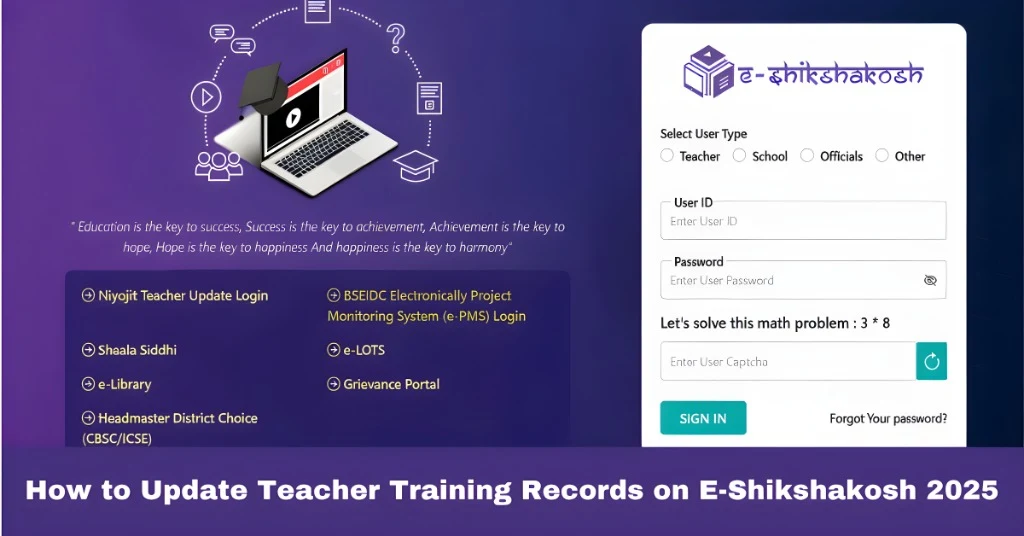
Log In to E-Shikshakosh
The first step is to visit the official E-Shikshakosh portal. Enter your username and password to access your teacher dashboard. If you’re having trouble logging in, you can reset your password by following the password recovery process.
You can also read:How to Recover Your Forgotten E-Shikshakosh Teacher Password
Navigate to Your Profile Section
Once you’re logged in, look for the “Profile” or “Teacher Profile” option in the dashboard. Click on it to open your personal and professional details. This is where you will be able to manage and update all information related to your teaching career.
Locate the Training Records Section
Within your profile, find the “Training Records” or “In-Service Training” section. This is where you’ll see any previous training you’ve entered. It’s also where you can add new training details and certificates.
Upload Your Training Certificates
To add or update your training records, follow these steps:
Await Approval
After submitting your training records, your headmaster or school authority will review the uploaded information. Once they approve it, the training details will be officially updated in your profile. This process ensures the accuracy of the data and its proper reflection in your records.
Tips for Updating Training Records
Ensure the scanned certificates are clear and legible.
Make sure the file size doesn’t exceed the upload limit, usually 2MB.
Prepare all necessary certificates and details before beginning the update process to avoid delays.
Troubleshooting Common Issues
Sometimes, issues may arise when updating your training records. Here are a few common problems and solutions:
Make sure you are logged into the correct profile and have access to the teacher dashboard.
If the system rejects your file, check the format and size of the certificate. Ensure it’s in PDF format and within the upload limit.
If your headmaster is taking too long to approve the training, follow up with them directly to ensure it gets processed on time.
Need Help?
If you face any technical issues or need assistance while updating your training records:
Contact Your Headmaster: They can approve and guide you through the process.
Reach Out to E-Shikshakosh Helpdesk: If you’re experiencing problems accessing the portal or submitting your records, you can contact the support team for further assistance.
Additional Benefits of Updating Your Training Records
Keeping your training records up-to-date has several benefits. Not only does it help in evaluations and promotions, but it also keeps your professional development organized. This transparency can be useful when applying for advanced roles or other educational opportunities.
FAQs
Final Words
Updating your teacher training records on E-Shikshakosh is a quick and straightforward process that ensures your professional profile is up-to-date. By following the steps above and keeping your training certificates organized, you can ensure that your profile reflects all your hard work and achievements. If you run into any issues, don’t hesitate to reach out for support. Happy teaching!